
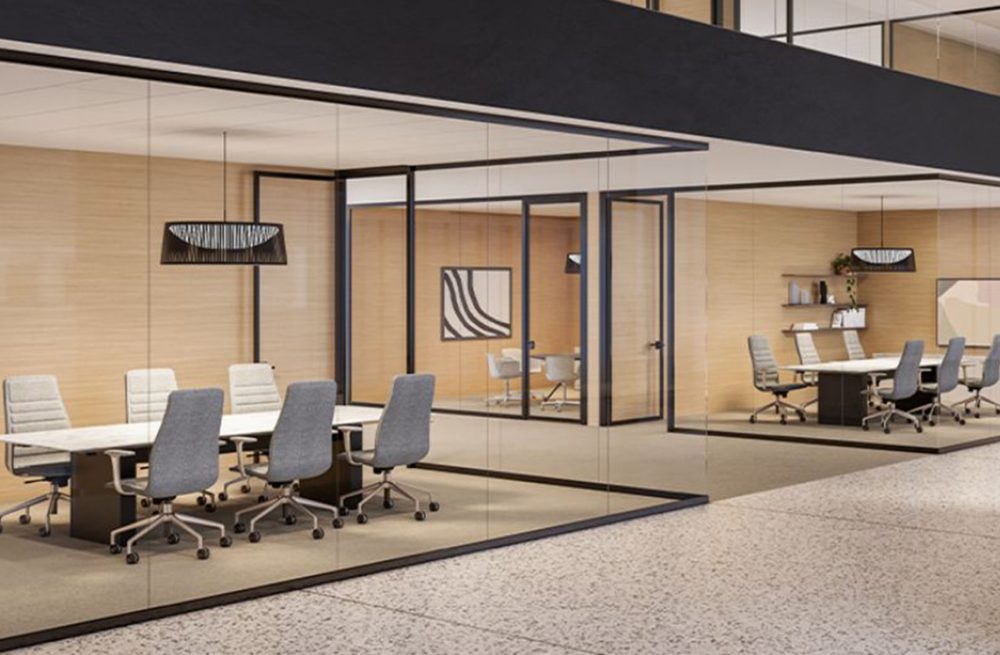
Legacy office spaces designed a decade or two ago were built around a completely different technological paradigm. Cubicles held static desktop towers, conference rooms featured single central landlines, and perimeter walls contained just enough outlets to power basic desk lamps and computer monitors. Fast-forward to today: employees move between workstations with high-powered laptops, smartphones, tablets, and wireless headsets, requiring seamless power access and instant audio-visual connectivity wherever they sit.
When facility managers and business leaders realize their office infrastructure no longer supports modern hybrid workflows, the initial reaction is often concern over budget and operational disruption. The thought of tearing down drywall to run new conduit, coring through concrete floors for power channels, or shutting down operations during a weeks-long renovation is daunting.
Fortunately, achieving a state-of-the-art office does not require major demolition. By implementing smart retrofit strategies and modular workspace solutions, you can elevate your office’s tech capabilities, acoustic quality, and overall functionality while preserving your existing architectural footprint.
1. Smart Power Distribution and Cable Control
The most immediate bottleneck in an older office is power density. When multiple team members gather at a work table or dynamic benching station, available wall outlets quickly become overloaded, leading to hazardous daisy-chained power strips and unsightly floor cords.
To overcome outlet scarcity without cutting into walls, modern offices utilize surface-mounted perimeter power tracks and low-profile raceways. These systems run along baseboards or under work surfaces, neatly expanding power access to wherever desks are placed.
For workstation surfaces, traditional grommet holes can be upgraded with drop-in wireless charging pads. Employees can simply set their devices down on the desktop to charge, eliminating tangled cords and keeping work surfaces clean. Underneath the desk, heavy-duty wire management baskets and cable trays mount directly to the underside of the work surface. These trays tuck power blocks, surge protectors, and excess cabling safely out of sight, keeping floors clear for easy cleaning and preventing trip hazards.
2. Designing High-Density, Hybrid-Ready Conference Rooms
Meeting rooms built for simple face-to-face gatherings often struggle when adapted for video conferencing and laptop-heavy collaborative sessions. When six people bring laptops to a meeting, they need immediate access to power, display connectivity, and clear audio transmission without fighting over cords.
Upgrading conference tables for multi-device environments begins with flush-mounted tabletop pop-up media modules. Installed directly into existing meeting tables, these units feature high-wattage USB-C Power Delivery ports, standard AC outlets, and pass-through display connections. Paired with single-cable docking hubs or wireless display sharing adapters, team members can connect their laptops to room monitors instantly without passing around specialized dongles or HDMI cables.
Running power to a central conference table in a legacy building with hard concrete floors used to require expensive core-drilling. Today, low-profile over-floor rubber conduits and ultra-flat floor power mats solve this challenge smoothly. These flat power tracks lay directly on top of floor coverings or fit neatly under carpet tiles, transferring power safely from perimeter walls to the center of the room with zero construction noise.
3. Acoustic Optimization and Next-Gen Video Integration
Video calls are a permanent fixture of modern business, but older conference rooms with drywall, hard glass partitions, and uninsulated ceilings create severe echo chamber effects. When microphones pick up sound reflections from hard surfaces, remote participants experience hollow, distorted audio.
Rather than rebuilding room walls, acoustics can be dramatically upgraded using sound-absorbing felt wall panels and suspended ceiling acoustic screens. These lightweight elements capture mid- and high-frequency sound waves, absorbing ambient room noise and eliminating flutter echoes.
In open office areas, dynamic space division can be achieved without permanent drywall. Modular curtain and sound-dampening screen systems allow teams to quickly define temporary collaborative hubs or quiet micro-environments within an open layout. Meanwhile, desk-mounted sound-absorbing privacy screens can be attached directly to existing workstations, granting employees acoustic comfort and visual privacy without isolating them from the rest of the team.
For video hardware, installing integrated smart video bars above or below displays eliminates the need for complex, multi-component AV wiring. These sleek units combine high-definition tracking cameras, beamforming microphone arrays, and studio-quality speakers into a single device that connects effortlessly to room displays and control pads.
4. Flexible Hot-Desking & Mobile Privacy Hubs
As hybrid work schedules fluctuate, static dedicated cubicles are giving way to dynamic hot-desking options where employees plug in and start working immediately.
Upgrading open workstations starts with universal USB-C hub monitors mounted on adjustable monitor arms with internal cable channels. A single USB-C cable from the monitor provides display connectivity, high-wattage laptop charging, and wired network access simultaneously, turning any empty desk into a plug-and-play workstation in seconds.
When employees in open-plan areas need absolute quiet for private phone calls or sensitive video meetings, standalone mobile acoustic privacy pods offer a self-contained solution. Engineered with built-in VESA monitor mounts, integrated power outlets, lighting, ventilation, and smooth-rolling casters, these compact booths provide isolated, soundproof workspaces. Best of all, because they are on wheels, facility teams can easily relocate them as team density and office layouts evolve over time.
Transform Your Office with Bellia Interiors Group
Modernizing a legacy office is about more than just buying new office furniture—it requires a cohesive strategy that blends spatial design, ergonomic planning, power distribution, and aesthetic appeal. Managing these moving pieces on your own while keeping daily business operations running smoothly can be a challenge.
That is where Bellia Interiors Group comes in. For over 50 years, Bellia has been helping organizations throughout South Jersey, Greater Philadelphia, and the Delaware Valley transform their workspaces into engaging, highly productive environments. As design experts who manage projects right down to the nitty-gritty details, the Bellia team gets to know your culture, goals, and workflow to deliver customized retrofit solutions that maximize your existing space without the cost and downtime of major construction.
Whether you need to upgrade a single conference room, solve cable clutter across your workstation floor, or completely reimagine your workplace strategy for hybrid teams, Bellia handles every step from concept and product specification to installation and post-project follow-up.
Ready to discover how effortless an office upgrade can be? Visit bellia.project-url.net/ today to request your Free Workplace Evaluation and let our team help you create a workplace you and your employees will love.


